
Network Installation, WiFi Setup & Structured Cabling

Professional network wiring, router setup, WiFi coverage, and infrastructure support for homes, businesses, and buildings.

What Is a Network?

A network is the system that connects your devices together and allows them to communicate. This includes your router, switches, WiFi access points, network cables, cameras, intercoms, computers, phones, and other connected equipment.

A properly installed network helps everything work together smoothly. It improves internet performance, reduces connection issues, and supports the technology your property depends on every day.

security system logo in manhattan

A professional network helps provide:

  • Stable internet performance
  • Better WiFi coverage
  • Reliable security system connectivity
  • Cleaner wiring and easier maintenance
  • Stronger control over connected devices
  • Better long-term infrastructure

Network Installation & Infrastructure Services

Router & Gateway Setup

Professional router and gateway configuration for reliable internet, stronger security, and better control of your network.

WiFi Coverage & Access Points

Improve wireless coverage with properly placed access points designed to reduce dead zones and connection issues.

Structured Cabling & Cat6 Wiring

Clean Cat6 wiring, cable runs, terminations, labeling, and organized network connections for long-term reliability.

Smart Network Control

Manage connected devices, create guest networks, monitor usage, and control network access from supported apps.

Parental Controls & Internet Schedules

Set device schedules, limit internet access, and help restrict unwanted content when supported by the network system.

Network Rack & Wire Organization

Clean up messy wiring, organize equipment, label connections, and improve serviceability for homes, businesses, and buildings.

Network Support for Cameras, Intercoms & Access Control

A reliable network is especially important for security systems. Cameras, intercoms, access control, smart locks, and cloud-based systems all depend on proper wiring and stable connectivity.

At Familia Secured, we understand both the network side and the security system side. This allows us to design network solutions that support the systems your property depends on every day.

Our network work can support:

Internet vs. Wi-Fi: What Is the Difference?

Many customers say, “My internet is bad,” when the real issue is the Wi-Fi or the local network. Internet is the service

coming from your provider, such as cable, fiber, or another ISP connection. Wi-Fi is the wireless signal inside your

property. Your local network includes the router, switches, access points, cables, and connected devices.

If the ISP is not delivering the right speed, your provider may need to fix the line or upgrade the plan. If the ISP speed is good but your devices are slow,  the problem may be inside the property. 

Familia Secured can help test the difference

and explain what needs to be fixed.

Our network work can support:

network installation

Parental Control

Guest Networks & Device Management

For homes and family environments, a properly configured network can help provide better control over internet access. This can include separate networks for kids, guest WiFi, device schedules, and content restrictions.

WiFi Coverage & Access Points

Blocking selected websites or categories

Internet access schedules

Content and domain filtering

Network Solutions for Homes, Businesses & Buildings

Apartment buildings

Brownstones

Mixed-use properties

Co-ops and condos

Retail storefronts

Private residences

Frequently Asked Questions

If your internet is unstable, your WiFi does not reach everywhere, or your security systems keep going offline, professional installation can help identify and fix the real issue.

Yes. We can improve WiFi coverage by installing properly placed access points, upgrading network equipment, and correcting poor network design.

Yes. We can install and configure professional routers, gateways, switches, and access points. We can also help show you how to manage connected devices, guest networks, and supported filtering features.

Yes. We work on network infrastructure for homes, offices, apartment buildings, and commercial properties.

We plan the work to keep disruption as limited and organized as possible.

Yes. Call us today (877) 968-6646

Because Familia Secured also works with cameras, intercoms, and access control, we understand how important the network is for security systems.

A camera system may go offline because of a weak network. An intercom may fail to connect properly because of bad wiring or router settings. Access control may need a stable connection to communicate with the cloud or management platform.

We design networks that support the systems your property depends on.

100 Columbus ave, Tuckahoe, NY 10707

Mon – Sat 9 AM – 7PM ; Sun Closed

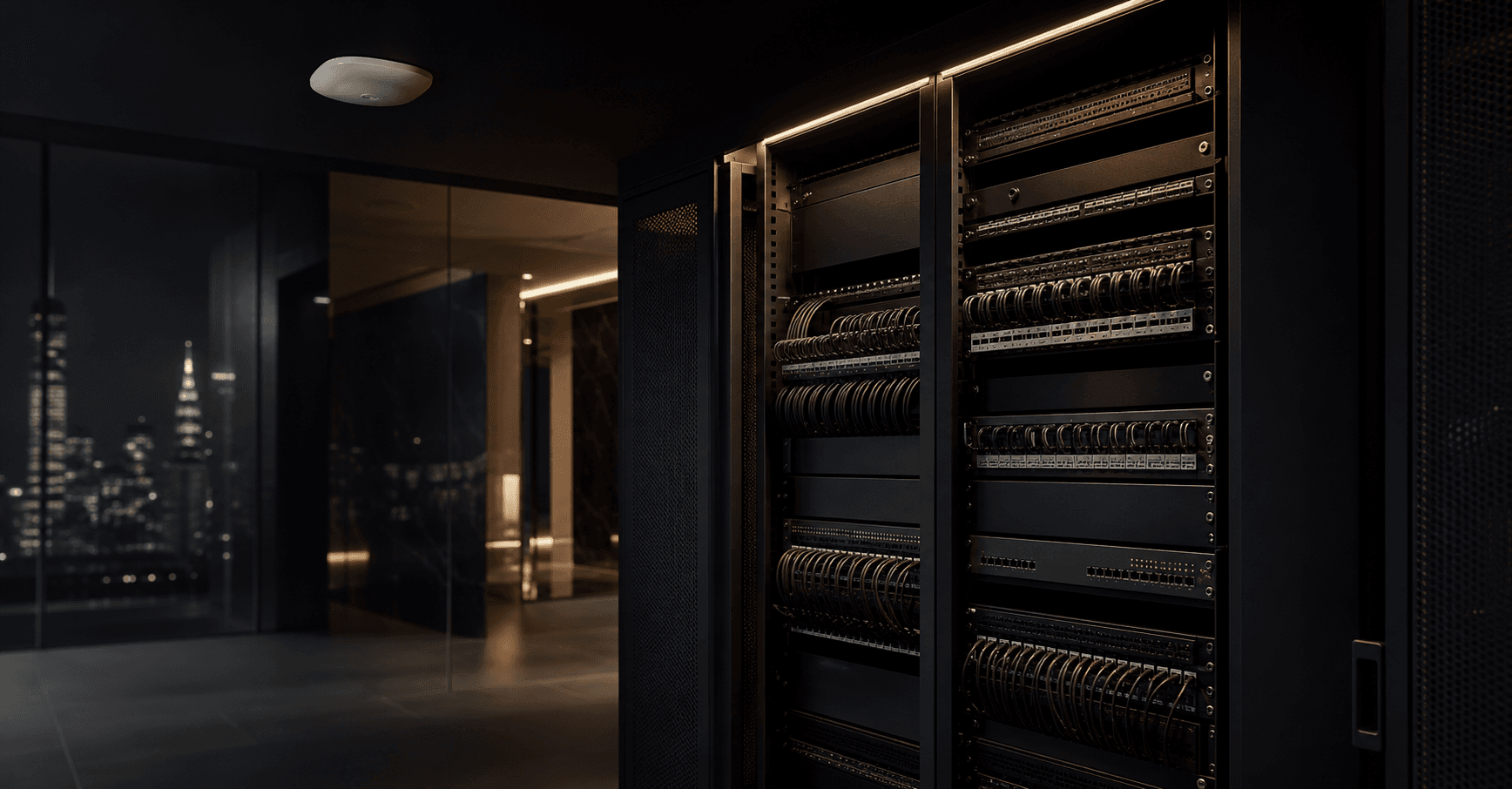
Professionally organized network rack and structured cabling in a New York building
NYC Network Infrastructure

Network Cabling & Wi‑Fi Installation in NYC

Professional Cat6/Cat6A cabling, fiber, Wi‑Fi access points, network racks and secure infrastructure for New York offices, apartment buildings, mixed-use properties and residences.

Explore
The invisible foundation

A better network starts behind the walls.

Fast internet service alone does not guarantee a fast, reliable building. The router, switches, cabling and access points inside your property determine how well every connected system performs.

01

Dead zones & weak Wi‑Fi

One router is often not enough for masonry walls, long floor plans, multiple levels or crowded wireless environments.

02

Unstable connected systems

Cameras, intercoms, phones and access control can become unreliable when the network beneath them is poorly planned.

03

Messy, unlabeled cabling

Disorganized wire makes every repair, upgrade and new device slower, more difficult and more expensive.

04

No room to grow

A network designed only for today can struggle when more users, cameras, workstations or cloud services are added.

How the system works

Internet is the service. Your network delivers it.

A reliable network is a chain. Every part—from the provider connection to the final device—must be planned, installed and tested to work together.

INTERNET SERVICE GATEWAY SWITCH + CABLING WI‑FI WORKSTATIONS SECURITY SYSTEMS
01 / Internet service

The connection coming into the building

Your ISP delivers cable, fiber or another service to the property. If that incoming service is slow, the provider may need to repair the line or change the plan.

02 / Router & gateway

The traffic controller

The gateway connects your property to the internet, applies network rules and directs traffic. Proper configuration improves security, stability and control.

03 / Switches & cabling

The wired backbone

Cat6, Cat6A or fiber carries data to workstations, access points, cameras, intercoms and other systems. Clean termination, labeling and testing matter.

04 / Wi‑Fi & devices

The experience people actually feel

Access-point placement, building materials, interference and device demand all affect coverage. The right layout reduces dead zones and keeps devices connected.

Structured cabling services

Designed cleanly. Installed carefully. Built to perform.

Network cabling and Wi‑Fi infrastructure for renovations, tenant buildouts, system upgrades and occupied properties across New York City.

Wired backbone

Cat6 & Cat6A Data Cabling

Professional cable runs, data drops, terminations and pathways for workstations, access points, security devices and connected building systems.

Coverage

Business Wi‑Fi & Access Points

Access-point placement and wired backhaul planned around wall construction, floor layout, coverage needs and device demand.

High capacity

Fiber Optic Backbone

Fiber infrastructure for longer building runs, higher-capacity links, riser connections and locations where copper is not the best fit.

Clean equipment

Network Racks & Patch Panels

Rack layout, patch panels, wire management, labeling and cable cleanup that make future service and expansion easier.

Configuration

Routers, Gateways & Network Segments

Configuration support for secure access, guest Wi‑Fi, supported device groups and more controlled network use.

Handover

Testing, Labeling & Documentation

Connections should be tested, clearly labeled and easy to understand. A professional handover helps your team know what was installed and where it goes.

Choosing the right medium

Cat6, Cat6A or fiber? It depends on the project.

Distance, bandwidth, equipment, pathways and future plans all matter. The goal is not to sell the most expensive cable—it is to specify infrastructure that fits the building and the systems it must support.

Option
Common fit
Why it is chosen
Planning note
Cat6
Offices, apartments, access points and security devices
Reliable Ethernet performance for many standard building applications
10-gigabit performance is distance- and installation-dependent
Cat6A
Higher-demand or longer copper links
Designed to support 10 Gigabit Ethernet through a full 100-meter channel
Requires more pathway space and careful installation
Fiber
Backbones, risers, long distances and high-capacity links
High bandwidth, long reach and immunity to electrical interference
Fiber type and transceivers must match the application
Built for New York properties

Every building has a different signal story.

New York apartment buildings requiring professional network planning
NYC-ready planningNetwork design should account for the building—not force every property into the same template.
01

Masonry, concrete & long floor plans

Dense materials and distance can weaken Wi‑Fi. Wired access points placed in the right locations create more dependable coverage.

02

Multi-floor and mixed-use properties

Residential, retail and shared spaces may need separate coverage goals, device groups and carefully planned pathways.

03

Crowded wireless environments

Nearby networks can compete for airtime. Good Wi‑Fi design considers placement, channels, power and the number of active devices.

04

Occupied spaces and project coordination

Installation planning can account for building access, tenant schedules, work areas and coordination with property management or your IT provider.

Site Assessment

Review coverage, pathways, equipment, connected systems and the problems you are experiencing.

Network Plan

Define cable types, drop locations, access points, rack needs and a practical scope of work.

Clean Installation

Run and terminate cabling with attention to organization, protection and serviceability.

Testing & Labeling

Verify connections and create labels that make the infrastructure easier to understand.

Walkthrough

Review what was installed, how the network is arranged and what your next steps should be.

One connected infrastructure

The network and the security system should be planned together.

Familia Secured understands both sides: the network that carries the data and the security technology that depends on it every day.

One team. Fewer gaps between systems.

Stable connectivity supports remote viewing, cloud services, door communication, credentials, alerts and device management. Planning the backbone with the end systems in mind creates a cleaner result.

Commercial

Offices & retail spaces

Workstations, phones, guest Wi‑Fi, point-of-sale systems, cameras and room to expand.

Multifamily

Apartment & mixed-use buildings

Shared spaces, management systems, security devices and connectivity across multiple floors.

Residential

Brownstones & private homes

Better coverage, cleaner equipment, wired devices and more controlled access for family and guests.

Community

Co-ops & condominiums

Infrastructure planning for common areas, offices, security equipment and building operations.

Network installation FAQs

Clear answers before the first cable is run.

What is included in a professional structured cabling installation?
The exact scope depends on the property, but it can include a site assessment, pathway planning, Cat6/Cat6A or fiber runs, data drops, rack and patch-panel work, access-point cabling, terminations, labeling, testing and a walkthrough of the completed infrastructure.
How much does network cabling cost in NYC?
Pricing depends on the number of drops, cable type, pathway difficulty, ceiling and wall access, distance, rack requirements, building rules and working conditions. A site assessment allows the scope and price to be based on the actual property instead of a misleading one-size-fits-all number.
Is wired Ethernet still necessary if we have Wi‑Fi?
Yes. Business Wi‑Fi access points normally rely on wired backhaul, and fixed devices such as cameras, intercoms, workstations and access control are often more reliable when connected through properly installed cabling.
Can you improve Wi‑Fi in a brownstone or prewar apartment?
Many older NYC properties have masonry, long layouts or multiple floors that make a single-router setup unreliable. A professional design may use strategically located, wired access points to improve coverage where people and devices actually need it.
When is fiber a better choice than copper cabling?
Fiber is often considered for building backbones, longer distances, high-capacity links or areas with electrical interference. The correct fiber type and equipment depend on the distance, pathway and devices being connected.
Can an existing network closet or rack be cleaned up?
Yes. Network cleanup can include tracing connections, removing abandoned or unnecessary patching where appropriate, reorganizing cable management, improving labels and making the rack easier to service and expand.
Can one network support cameras, intercoms and access control?
It can, when capacity, power, cabling, segmentation and device requirements are planned correctly. This is one of Familia Secured’s advantages: we understand the network and the security systems using it.
How long does network installation take?
Timing depends on the number of locations, access conditions, cable pathways, building coordination and whether the space is occupied. After a site assessment, the work can be scoped and scheduled more accurately.
Start with a clear plan

A better network begins with a better assessment.

Tell us about the property, the problems you are seeing and the systems that need to connect. We will help identify the right next step for your network infrastructure.

For offices, apartment buildings, mixed-use properties, brownstones, co-ops, condominiums, retail spaces and private residences across the New York City service area.

Schedule a Network Assessment Call 877-968-6646